



When I first started looking for online courses back in 2019, Udemy was one of the first platforms that came up. With over 210,000 courses—and hundreds of them free—it’s easy to see why it’s so popular. But as I got more into online learning, I started wondering how it really stacked up against other platforms, especially those that offered recognised certificates or flexible subscription plans.
To ensure we offer a meaningful and informative comparison of alternative platforms to Udemy, I’ve dedicated time researching the courses, learning programs, instructors, pricing models, refund policies, and learner feedback of each platform. On top of that, my educational background, which includes a Master’s degree in Teaching and Education, as well as my extensive experience with various online learning platforms, have helped me to craft this comprehensive comparison.
Catherine CookeUpskillwise Advisor

Top 10 Udemy Alternatives
Check out the alternatives to Udemy. If you’re short on time and can’t read the entire article, you can quickly review our ranking table of Udemy alternatives to give you an overview of its alternative platforms.
Platform
Pros & Cons
Pricing

- Free Trial
- Affordable
- Engaged Community
- No Certificates
- Quality of courses
Skillshare Premium Monthly: $29 USD.
Skillshare Premium Yearly: $99 USD.

- Engaging Content
- VIP Instructors
- Afforadable
- No Free Trial
- No Certificates
Individual Plan: $120 USD billed annually.
Duo Plan: $180 USD billed annually.
Family Plan: $240 USD billed annually.

- Partnered Organizations
- Verified Certificates
- Free Courses
- Prior Knowledge
- Confusing Pricing
Guided Projects: Starting at $9.99 USD
Individual courses: Starting at $49 – $79 USD per course
Specializations & Professional Certificates: Starting at $49 USD a month
MasterTrack Certificates: Starting at $2,000+ USD
Degrees: Starting at $9,000+ USD
Coursera Plus: $59 monthly or $399 USD annually

- Celebrity Instructors
- High Quality Production
- Generous Refund Policy
- No Free Courses
- No Certificates
Single Course: £79 or $89 USD.
Annual Plan:£120 or $120 USD.

- Top-Quality Content
- Free Courses
- Career Services
- Expensive
- No Udacity App
Individual Plan: $249 USD a Month OR $846 USD for a 4-Month Plan.
Team Plan: $2,390 USD annually.
Team Pro: $3,830 USD annually.
Enterprise: Custom Priced.

- Reputable Instructors
- Engaged Community
- Bite-sized Video Lessons
- Limited Categories
- Subscription Only
Monthly Plan: $49 USD All Access Membership.
Yearly Plan: $399 USD All Access Membership.

- Engaging Content
- Beginner Friendly
- Experienced Teachers
- Non Accredited Certificates
- Data Topics Only
Basic Subscription: FREE (limited access)
Premium Subscription: $300 USD billed annually (working out at $25 a month) OR $39 USD billed monthly.

- Verified Certificates
- Free Courses
- Refund Policy
- Prior Knowledge
- Limited Topics
Verified Track: $50 and $300 USD
Professional Programs: Starting at $299+ USD
MicroBachelors Programs: Starting at $499 USD
XSeries Programs: Starting at $135 USD
Short Courses: Starting at $99 USD
MicroMasters Programs: Starting at $600 USD
Master’s Degrees: Starting at $10,000+ USD

- Free Trial
- Learning Checks
- Good Support
- No Official Certicates
- Limited Topics
Standard Plan: $299 USD per year or $29 USD monthly.
Premium Plan: $449 USD per year or $45 USD monthly.

- Free Courses
- Interactive Learning
- Engaged Community
- No Offline Access
- Limited Topics
Plus Plan: $209.88 USD billed annually (working out at $17.49 USD a month) OR $34.99 USD billed monthly.
Pro Plan: $359.88 USD billed annually (working out at $29.99 USD a month) OR $59.99 USD billed monthly.

- Industry Teachers
- Free Live Classes
- Refund Policy
- Creative Topics
- Technical Issues
Individual Classes: $29 – $199 USD
Creator Pass Plans: $149 USD billed annually ($12.42 USD a month) OR $15 USD a month billed monthly with an annual commitment OR $39 USD a month, billed monthly.
Udemy’s Pros & Cons
- Affordable: Courses range from $9.99 to $199.99 making it accessible for most
- Free Courses: Close to 600 courses for free
- 30-day Refund Policy: If the course wasn’t what you expected, Udemy will give your money back, no questions asked.
- Lifetime Access: Udemy will grant you lifetime access for every paid course.
- Wide variety of courses: With 13 categories and dozens of sub-categories, you’re spoiled for choice.
- Certificate of Completion: Although the courses aren’t officially accredited, you’ll be given a certificate of completion – for paid courses only.
- Non-Accredited Certificates: If you are looking for an official certification, Udemy isn’t for you. Alternatively, check out Coursera or edX
- Doesn’t create course content: With Udemy (read review) the course instructors are responsible for creating its content, which can impact the quality of the course.
- Quality Control of Courses: Udemy runs a quality control of the courses, but with so many, how thorough can this really be.
Udemy Alternatives in Detail
Let’s get into each alternative platform in detail, we’ve thoroughly researched each one and narrowed it down to the top 10 platforms which we consider to be a good alternative to the Udemy platform.
Skillshare
Skillshare is a creative elearning platform offering courses on a wide variety of topics from Graphic Design to Photography, Music and much more. Skillshare’s 35,000+ classes are taught by real working creatives, experts and subject matter enthusiasts.

Skillshare offers only two subscription plans, either the monthly for $29 USD or the annual plan for $99 USD a year. Each membership gives you full access to the library of classes and the option to watch them offline.
Skillshare’s Pros & Cons
- Free Trial: Skillshare offers a free trial when you first sign up, which gives you full access to the platform.
- Affordable: Skillshare pricing is affordable, it’s one of the cheapest online learning platforms.
- Engaged Community: Skillshare has a highly engaged community, which makes its classes interactive and fun.
- Hands-On: Many of Skillshare’s classes involve hands-on projects, which is a very engaging way to learn.
- Creative Experts: Skillshare has a pool of teachers who are creative industry experts, like YouTuber Marques Brownlee and graphic designer Aaron Draplin.
- Non-Accredited Certificates: Skillshare does award a class certificate when you complete all lessons and submit a project (but be mindful that these are not accredited certificates). It’s a platform for personal growth, not formal qualifications.
- Not as Many Courses: Skillshare focuses on the creative and entrepreneurial niches. Its course list isn’t as varied as platforms like Udemy or Coursera.
- Quality Can Vary: Since anyone can create a course on Skillshare, quality isn’t always consistent from course to course.
- Primarily English-Focused: Skillshare is available in five languages (English, French, German, Portuguese, and Spanish) but the vast majority of its content is aimed at English-speaking learners.
Why Choose Skillshare over Udemy?
Udemy and Skillshare are the most similar e-learning platforms out there. Saying that, if you’re looking for an engaged community of other learners to connect with, Skillshare has the edge. The community is centered around skill-building and sharing knowledge, whether that’s commenting on other learners’ projects, uploading your own work to the Projects & Resources tab, or starting a conversation in the class community section.
If sharing your learning experience with others matters to you, Skillshare is worth considering.
MasterClass
MasterClass is a little different from the conventional online learning platforms out there. Its courses are taught by celebrities and industry icons, so you’ll likely recognise some familiar faces.

Its 200+ classes span 11 categories, from Science & Tech and Arts & Entertainment to Design & Style and more. Each class averages around 20 lessons, with individual lessons typically running between 5 and 15 minutes (short enough to fit into a busy day=. It runs on a subscription model, billed annually, with the Standard plan starting at $120 per year.
Masterclass’s Pros & Cons
- Fun: The first thing to note about Masterclass is that its courses and lessons are fun, perhaps because you get to watch celebrated experts teaching something you’re genuinely passionate about.
- Well produced: After watching 10 seconds of the first video, you’ll realize that Masterclass videos are beautifully put together. They have a very engaging, cinematic aura.
- Top instructors: A big selling point of Masterclass is learning a craft from worldwide-recognized professionals. Gordon Ramsay teaches cooking, Dan Brown teaches writing, and Spike Lee covers filmmaking.
- Affordable: Masterclass is competitively priced compared to other educational platforms, though it covers fewer topics than alternatives like Udemy or Skillshare.
- Generous refund policy: After purchasing your membership, you have 30 days to request a refund. Not bad at all.
- Limited free access: Masterclass offers some introductory content for free, but full course access requires a paid subscription , you won’t get the complete picture before committing.
- Not the greatest community: Don’t expect Spike Lee to answer your questions about camera angles online. The instructors are the face of the class, but they don’t engage much with the community. It’s an area they could improve.
- Light on educational depth: Even though courses have some structure, there isn’t a huge amount of educational value in the traditional sense. Think of it more as a TED Talk on steroids about a topic you love.
- Only certain topics: Masterclass covers a focused range of subjects: sports, filmmaking, cuisine, writing, business, science, and politics, so it won’t suit everyone.
Why Choose Masterclass over Udemy?
If you’re looking for a platform that will inspire and motivate you through a celebrity instructor, Masterclass is worth considering. One of the first things you’ll notice is how the classes are beautifully produced with a cinematic finish; something Udemy simply can’t match, since its courses are filmed by individual instructors without the same budget.
Be mindful that Masterclass isn’t designed to teach a skill from scratch. It’s more about motivating you to keep improving, and it helps that the push comes from someone you may genuinely admire.
So if a high-quality, inspirational class from a recognized face is what you’re after, Masterclass is the one for you.
Coursera
Coursera is one of the most prestigious online educational platforms out there. It offers over 7,000+ courses, specialization and degrees on subjects like Data Science, Business, Health and much more.

Coursera has 300+ partners from all over the world that work closely to create accredited courses, specializations and degrees. These accredited courses and learning programs are well recognized by future employees.
Coursera’s Pros & Cons
- Accredited University Degrees: Coursera has partnered with some of the top Universities (including Imperial College and Stanford) to provide online accredited degrees when you complete a course.
- Tuition Cost: Course fees are significantly lower than that of a conventional school or traditional campus-based course.
- Free Courses: If you don’t need a completion certificate, you can enjoy most of the courses for free – no hidden catch.
- Learn offline: Coursera’s app allows you to download course material for when you are offline. Meaning you can learn and study on the go, perfect for a plane trip.
- Quality of Courses: Courses taught by top experts in their field from world-class Universities and Companies.
- Confusing Pricing: There are many different pricing subscriptions, which can make the exact price of the course seem confusing and unclear for many users.
- Prior Knowledge: Some courses may require prior knowledge due to the nature of the course material. It’s not always beginner-friendly.
Why Choose Coursera over Udemy?
One thing that Udemy isn’t able to offer its learners are accredited courses. Coursera offers a wide variety of professional and accredited learning programs from Courses, Guided Projects, Specializations, Professional Certificate, Mastertrack Certificate and Online degrees. If you know that you are looking to achieve an accredited recognition when successfully completing a course or learning program from a top University or Institution like Imperial College or AWS (Amazon) then Coursera is your answer.
Udacity
Udacity
Udacity is a platform that offers learning programs on courses related to programming, business, data science and more. Its courses are designed to give you real employable skills that are based around real-world projects.

Udacity’s learning programs are better known as Nanodegrees and are co-created with the world’s most innovative tech companies. You can either subscribe to its monthly plan or its 4-monthly plan, which is the average time recommended for completing a Nanodegree program.
Udacity’s Pros & Cons
- Top-quality content: Udacity develops its own content with tight collaborations with (industry-leading) partners such as Google, AWS (Amazon), Mercedes or Nvidia.
- Easy to use: Their backend is intuitive and easy to follow.
- Free courses: There are several free courses you can follow at Udacity. This is a great way to get an idea of what to expect from this popular elearning community.
- Certificates: If you complete a Nanodegree (this is how its programs are named) with Udacity you’ll earn a certificate. However, be aware that these aren’t offered if you use Udacity with a free account. Be aware that Udacity is a private institution and their certificates aren’t accredited.
- Improve your CV: Udacity has a high reputation among companies, so even if they don’t offer university-accredited degrees, having a Nanodegree certificate from Udacity can help you climb professionally. Career advisors are also offered to help you find and improve your professional path.
- Expensive: Udacity isn’t the cheapest option, you’ll need some budget to subscribe to a subscription plan.
- Not a huge community: There doesn’t seem to be the most engaged community behind the Udacity platform. It’s more of a solitary learning approach.
- Limited topics: It’s true that Udacity offers a wide range of courses about tech and business related topics. However, there aren’t any courses outside these niches – check out Udemy or Coursera for more variety.
- Only in English: The website and backend are available in other languages, but the course materials are mainly in English – some courses have subtitles in other languages.
Why Choose Udacity over Udemy?
Udacity is partnered with companies like Mercedes and Google who create the Nanodegrees (learning programs) alongside Udacity, so its programs are highly recognized by future employees. It is true that Udemy offers completion certificates once you have completed a course, but it’s most likely it won’t be taken too seriously as they are not accredited. Udacity also offers career advice and coaching to help write your CV. This is all very helpful to advance your career or begin your professional path. If this sounds like what you are looking for then its worth checking out Udacity.
Mindvalley
Mindvalley
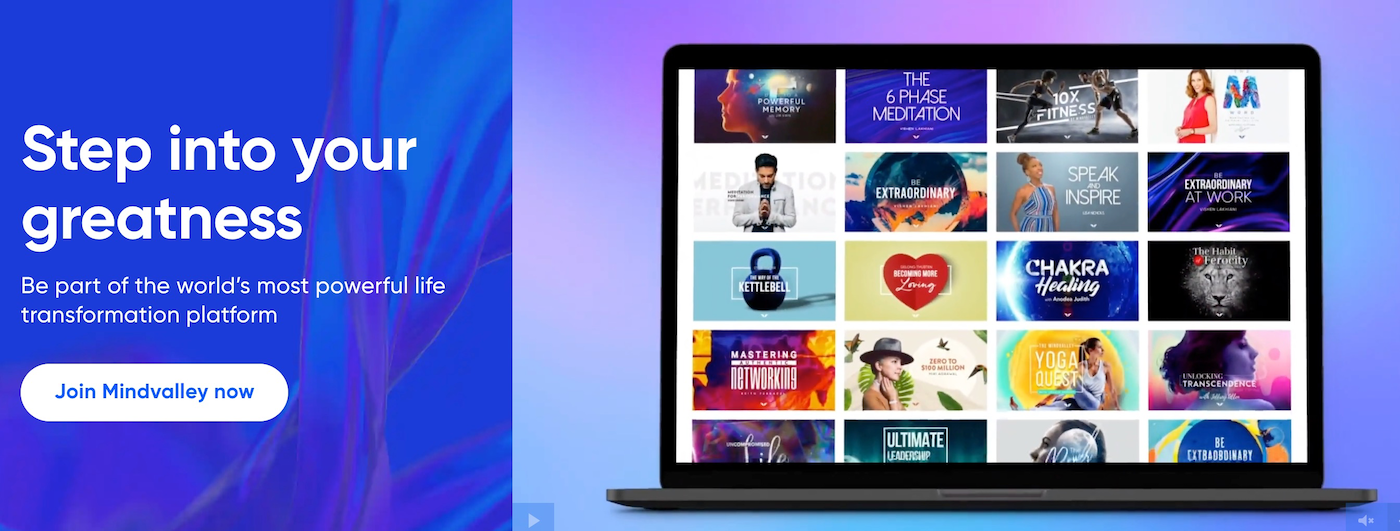
Mindvalley serves as a platform for personal growth and development, providing a diverse range of categories such as mind, body, soul, entrepreneurship, career, and relationships.
Mindvalley’s Pros & Cons
- Free Courses: Free weekly masterclasses of 60–90 minutes to give you a taste of the platform
- Money-Back Guarantee: You’re entitled to a 15-day money-back guarantee on its monthly and annual membership plans.
- Reputable Trainers: Mindvalley’s instructors are experienced teachers, authors and visionaries.
- Community: Mindvalley has an active community who is engaged, helpful and supportive to each other,
- Higher Price Tag: Its ‘All Access’ membership plan, isn’t the cheapest option, but it does mean you are receiving quality content.
- Limited course topics: Mindvalley may not always have the biggest pool of topics to choose from. If you are looking for a wider range, then it is worth checking out platforms like Udemy.
Why Choose Mindvalley over Udemy?
Choosing Mindvalley over Udemy is best for those seeking a more holistic approach to personal development. Mindvalley specializes in personal growth programs like mind, body, soul, career, and relationships, offering a unique blend of courses aimed at overall self-improvement. In contrast, Udemy primarily focuses on skill-based, academic, and professional courses. If you’re looking for a platform that prioritizes all-round personal growth and transformative learning experiences, Mindvalley might be a more suitable choice.
Detailed Mindvalley ReviewDatacamp
Datacamp
Datacamp was established in 2013 and more than 8 million learners worldwide have joined this online platform that specializes in topics like data science and analytics. It offers both Personal and Business plans, with the Standard plan being the most popular 460+ courses. All its courses are interactive with a hands-on learning experience.

Datacamp offers the learning programs Skill and Career Tracks, these tracks are made up of a combination of courses to help individual learners gain the full knowledge for a successful career path. It also works with businesses to up-skill their teams.
Datacamp’s Pros & Cons
- Interactive & Engaging: Datacamp courses focus on interactive learning, with many videos and engaging exercises to complete.
- Experienced Experts: Over 270+ experts from the data science world like Caltech and Anaconda.
- Free Plan: Its basic free plan will give you access to the initial chapters of its courses, so you’ll get a taste of the platform.
- Clear Pricing Plans: A clear and simple pricing plan page, which is pretty refreshing as not all online platforms are so transparent.
- Wide Range: Datacamp caters to absolute beginners and learners with some knowledge. There is something for everyone.
- No accredited certificate: Datacamp doesn’t offer an official accreditation, instead a Statement of Accomplishment is given after successful completion of the course. If you are looking for a recognized validated certificate, it is best to check out platforms like Coursera or edX.
- Video Content Lacking Detail: Some of Datacamps video tutorials are a little short and lacking in detail, and therefore may leave you feeling like you are missing something.
Why Choose Datacamp over Udemy?
Datacamp’s Skill and Career Tracks are designed for you to learn all you need to start a new career in data science. The tracks are put together by experts who deliver everything you need to learn for a successful career or skill for a future in data science. Whereas Udemy’s courses are more about learning a new skill without the goal of it leading to a future career path. So if a future in data science or analytics is what you are looking for, and you want to gain the necessary skills for this, then Datacamp’s Skill and Career Tracks would be an ideal option for you.
edX
edX was founded by Harvard and MIT and offers 4,000+ online courses from top 250+ institutions like Berkeley and Princeton. Its most popular subjects are Business & Management, Computer Science, Data Analysis & Statistics, Humanities and Language.
edX offers different learning like Master’s Degrees, MicroMasters, MicroBachelors Programs, Professional Certificate Programs. All of its learning programs are accredited and learners will receive an official certificate of completion.
edX’s Pros & Cons
- Accredited Certificates: You will receive accredited certificates on completion of your course.
- Partnerships: Courses are partnered with prestigious universities and companies like Harvard, Berkeley and Microsoft.
- 14-day Refund Policy: edX offers a refund up to 14 days after your course start date or 14 days after your payment date, whichever comes later. Be mindful that refunds are not available if 6 months have passed since your payment date, even within the 14-day enrollment window.
- Free Course Audit option: You will be granted access to all course materials except graded assignments, and you won’t receive a verified certificate at the end of the course. Other than that, you can follow most courses for free.
Learn at your own pace: The majority of its courses are self-paced and can begin at any time.
- Limited Topics: edX specializes in higher education and the sciences, so you won’t find all the topics (e.g. no baking or filmmaking). Alternatively, if you’re looking for a broader range of topics, check out Skillshare or Udemy.
- No course structure: edX courses are put together by their partners who have the freedom to create the course as they like, this can lead to course inconsistency.
Why Choose edX over Udemy?
edX’s courses are partnered with top academic institutions, which means the instructors teaching its learning programs are from these institutions. You can be guaranteed that the quality of teaching is of the highest order, and it means that when you successfully complete a learning program, you will receive an accredited certificate from that institution.
Whereas Udemy allows anyone to teach its courses, which isn’t necessarily a bad thing, but it could be that the knowledge and quality of the course may not be of the highest. So if top quality teaching with an accredited course is what you want, check out edX.
Pluralsight
Pluralsight is a technology skills elearning platform that really focuses on users gaining the skills of tomorrow. It offers 2 course libraries, the Core library with 2,500+ courses and the Expanded library with 7000+ courses. Individual learners can decide between 2 different plans each offering a 10-day free trial.

So if you are looking to develop your skills in a technology-based subject like Software Development, IT Ops, Information & Cybersecurity and more, then Pluralsight is the platform for you. It also has subscription plans to help teams and businesses.
Pluralsight’s Pros & Cons
- Free trial: A 10-day free trial or 200 minutes, whichever comes first, giving you full access to either of the course libraries.
- Good support: Pluralsight offers phone support, ticket submissions, and email options for specific inquiries like billing and sales through their Help Center.
- For individuals & businesses: Its lessons have been designed to suit the needs of individual learners and teams.
- Course learning checks: Short self-paced quizzes to test retention of course material.
- Offline and mobile downloads: The option to download course material and videos to view offline makes it super convenient if you are on the go.
- Limited topics: Courses focus on technology-based subjects. If you are looking for a wider range of topics, it is worth checking out Udemy or Coursera.
- Limited free courses: Pluralsight offers around 100 free courses once you register, but be mindful that access may be limited compared to what you get on a paid plan.
Why Choose Pluralsight over Udemy?
Pluralsight’s courses focus on developing learners’ technology skills for the future. When you land on the platform, you can take the Skill and Role IQ assessments for free, which will measure your proficiency in your chosen technology skill. The results highlight areas you need to work on and suggest courses tailored to you.
Udemy doesn’t offer this feature, leaving you to find the right course largely on your own. So if guidance and gaining a specific technology skill or developing your career is what you are looking for, Pluralsight is worth considering.
Codecademy
Codecademy is an online learning platform for coding. It offers courses in 14 different programming languages and 10 different subject areas. Many of its courses are designed for beginners, so perfect for anyone who doesn’t have any prior experience.

The platform offers either a free basic plan or a paid pro plan which (includes a 7-day free trial). Its courses include peer support, real-world projects, step-by-step guidance and certificates of completion.
Codecademy’s Pros & Cons
- Free Courses: Codecademy has a basic free plan where you can enjoy interactive lessons and daily practices.
- Beginner Friendly: Its interactive coding courses are easy to digest for complete newbies.
- Wide Variety: Codecademy covers 15+ programming languages, including HTML, CSS, JavaScript, Python, SQL, and more.
- Build your own Portfolio: After gaining practical experience you will create your own portfolio-worthy projects to show to potential recruiters.
- Supportive Community: A strong sense of community with coaches, advisors or other graduates to help answer any questions and doubts you may have.
- No instructor bio: Limited information about the instructor who created the course.
- Not Accredited: Codecademy courses and paths are not accredited, which means its certificates are only proof that you have successfully completed the course. Be mindful that platforms like Coursera and edX are not accredited institutions either — they simply partner with accredited universities to offer their content.
Why Choose Codecademy over Udemy?
If learning to code is what you are looking for from an online learning platform, then look no further, as Codecademy is worth considering. Its coding courses are digestible and appealing for beginners. Although Udemy does offer courses on coding, you can rest assured that Codecademy courses are designed to meet all coding needs – and that is what it does best. As well as courses, it offers career and skill path learning programs plus coding for teams and businesses. If coding is what you are looking for, Codecademy has you covered.
CreativeLive
CreativeLive offers a diverse range of creative courses that are taught by industry experts. From photography and design to business and personal development, CreativeLive empowers individuals to unlock their creative potential through engaging live classes and on-demand tutorials.

Its individual courses range from $50 and go up to $200 USD, which are discounted regularly. Along with individual courses is the creator pass (a monthly and annual subscription). Its class categories range from Photo & Video, Money & Life, Art & Design, Craft & Masker and Music & Audio.
CreativeLive’s Pros & Cons
- High quality: All of CreativeLive’s videos are filmed by in-house videographers, meaning that the quality is top-notch.
- Professional Instructors: Over 700 of the top creative professionals (best-selling authors, Grammy and Oscar winners) teach its classes.
- Free Live Classes: All lasses are free to access while they are streaming live.
- Accessibility: You can learn with CreativeLive using a computer or mobile, making it accessible to learn on the move, plus class videos and material are downloadable.
- Refund Policy: A generous 30-day refund policy on individual courses and 7 days on creator pass.
- No Certificates: CreativeLive doesn’t offer any certificates or accreditation. If that is what you are looking for it is best to check out Coursera or edX.
- Some Individual Courses are Expensive: Some of CreativeLive’s higher end classes may seem a little expensive for what they are offering.
Why Choose CreativeLive over Udemy?
CreativeLive offers a unique advantage over Udemy as you can access live classes that are taught by industry experts, allowing for real-time interaction and personalized learning experiences. Unlike Udemy, which only offers pre-recorded courses. One of the obvious differences is that CreativeLive focuses only on creative disciplines such as photography, design, and music, that may appeal to individuals seeking to hone their artistic talents. So whether you’re looking to enhance your skills or explore new creative avenues, CreativeLive would be a platform to consider.
Final thoughts: Udemy Alternatives
Alright, after this detailed Udemy alternative guide, I am sure you’ll have a better idea which platform is for you.
Just before you do that, some other important factors to consider;
- How much are you willing to spend?
- How much time do you want to commit to the course?
- What is the real goal of your learning experience?
I believe with all these factors considered you will make an excellent choice. If you still have some questions, leave a comment below and I’ll do my best to help you.
FAQs: Udemy Alternatives
It depends on what you’re looking for! If you prefer creative courses with a subscription model, Skillshare is a great choice. For high-quality lessons from industry icons, MasterClass is perfect. And if you want university-level courses with certificates, Coursera is a strong alternative. Each platform has its strengths, so the best option depends on your learning goals!
Choosing between Coursera and Udemy depends on your learning objectives. Coursera collaborates with top universities and organizations to offer structured courses, specializations, and even degrees, making it ideal for those seeking academic and recognized certifications. In contrast, Udemy provides a vast array of courses across numerous subjects, often created by individual instructors, which can be more suitable for quick skill acquisition or personal interests. If you’re aiming for formal education and credentials, Coursera might be the better choice; however, for flexible, diverse, and often more affordable learning options, Udemy could be more appropriate.
11 comments
Andy
27 February 2024, 12:53
Hi Catherine,
Thank you for presenting this information in such a clear, concise format. Having just signed up for Udemy I was a bit taken aback to find the $20/month price tag nearly doubled if one actually chose to pay monthly. Sure, I’m no stranger to paying more on a month to month basis but I felt this was extreme, hence my search for an alternative.
Thanks to your work and analysis, it appears Udemy is still my best option so I’ll stick with them. Your post here saved me a ton of research. Thanks again!
One critique though your second sentence above could use a tweak – “It isn’t surprisingly really when you” is a bit off. It should read “It isn’t surprising really when you” i.e. dropping the “ly” from surprisingly”. No doubt now that you see it, further explanation is not needed.
Catherine Cooke
4 March 2024, 09:52
Thanks Andy, for your message. Thank you for your suggestion on the second sentence of the article! Happy learning 🙂
gate io
23 May 2023, 06:07
I may need your help. I’ve been doing research on gate io recently, and I’ve tried a lot of different things. Later, I read your article, and I think your way of writing has given me some innovative ideas, thank you very much.
Catherine Cooke
23 May 2023, 16:54
Thanks. Happy to hear you like the way the article is written 🙂
Best Resource
28 October 2022, 13:11
Hi Nice, But You can also consider alternative to Udemy
sri charan
20 June 2022, 08:11
great content
Catherine Cooke
24 June 2022, 15:02
Thanks, Sri. Really happy you liked the content 🙂
Jorge silva
8 January 2022, 00:08
Grealisting of online training resources. Highly recommend it.
Catherine Cooke
28 January 2022, 16:26
Thank you Jorge 🙂
Craig
19 June 2021, 16:13
Hi Catherine,
I thoroughly enjoyed your article “Online Learning Platforms: What You Need to Know” but it appears that you did not include a “comment” box at the end of the article, so I will go ahead and give you my “thanks” here.
You really did put a tremendous amount of effort into it, and I hope that you make plenty of affiliate sales to support your freelancing. I certainly learned a lot, and found it extremely helpful as you really put your heart into it.
For a few years now, one of the marketers who has been emailing me has included links to coupons for free Udemy courses in his marketing messages. These are mostly 100% off coupons that expire in a few days, before the price goes up. I have signed up for at least 870 Udemy courses for free, and one time I paid for one.
I haven’t had much time to look at them, I just signed up for all of them because the coupon codes are due to expire, sometimes in a matter of hours.
I was not really aware of all these alternatives, however. Just Skillshare. And I didn’t feel like spending the $99 when I have hundreds of free Udemy courses if I had time for them.
I suppose over time, we will see more of these educational platforms. So you might want to revise your article every so often when there is something exciting you want to add to it.
I have never lived in Europe, I grew up in California. But my maternal grandmother was born in Camberwell, in Southwark, a few miles southeast of Charing Cross… in 1879 and came to America in 1880, as a babe in arms. No one in my family ever returned to England until I did.
I went to London in 1988 and found the place where her birth was registered. Every page had five signatures or X’s (in place of signatures) on it. Back then, not everyone could read and write. Several of the pages had two or three signatures but the page my great-grandfather signed for his daughters birth had only one signature on it, which was his. The other four fathers were unable to sign their name and all put an “X” on the page.
Most people take education for granted, but it wasn’t that long ago that being able to read and write was often the exception, not always the rule.
Thank you again for the wonderful article. I have never been to Spain but I love the Spanish language, it’s beautiful.
Craig Jones
Current location Las Vegas, Nevada. It’s currently 115 degrees, don’t ask my why they put a city here. It’s a great place to live if you are a cactus, but not a human…
Catherine Cooke
19 June 2021, 17:29
Hey Craig. Thank you for your lovely comment and for pointing out I have no comment box on my Online Learning Platform I have added one now 🙂 It really is an exciting time for online learning and I try to keep my articles updated with the newest information from each of the platforms as much as possible. Happy to hear you got back to visit London, it is a very interesting city full of so much history. You are right, the Spanish language is beautiful 🙂