


If you’re choosing a platform to issue digital certificates or badges, pricing, flexibility, and ease of use can make a huge difference.
Two popular platforms in the digital credential space are Certifier and Credly. Credly is widely known as an industry-standard solution used by large organizations, while Certifier positions itself as a modern alternative focused on transparent pricing, fast setup, and full brand control.
In this article, I’m comparing Certifier and Credly side by side, looking at their key features, pricing, pros and cons, and which platform may be the better fit depending on your organization’s needs.
Credly Vs Certifier Honest Comparison Video
Check Out Certifier for FreeCredly Vs Certifier Summary
Certifier is designed as a flexible digital credential platform that prioritizes branding, customization, and automation. It’s built for organizations that want full control over how their certificates and badges look and how they’re issued within their own programs.
The platform focuses on quick setup and practical workflows. Organizations can start issuing credentials quickly, and there’s also a free 30-minute personalized demo available for teams that want to explore how the platform fits their certification processes.
Credly, on the other hand, is built around a centralized credential ecosystem. The platform focuses on standardization and consistency across credential programs, which is one reason it’s commonly adopted by large organizations and established certification providers.
In simple terms, Certifier emphasizes flexibility and branding, while Credly focuses more on structure and consistency.
Design and Branding
One of the biggest differences between Certifier and Credly is how credentials are designed and customized.
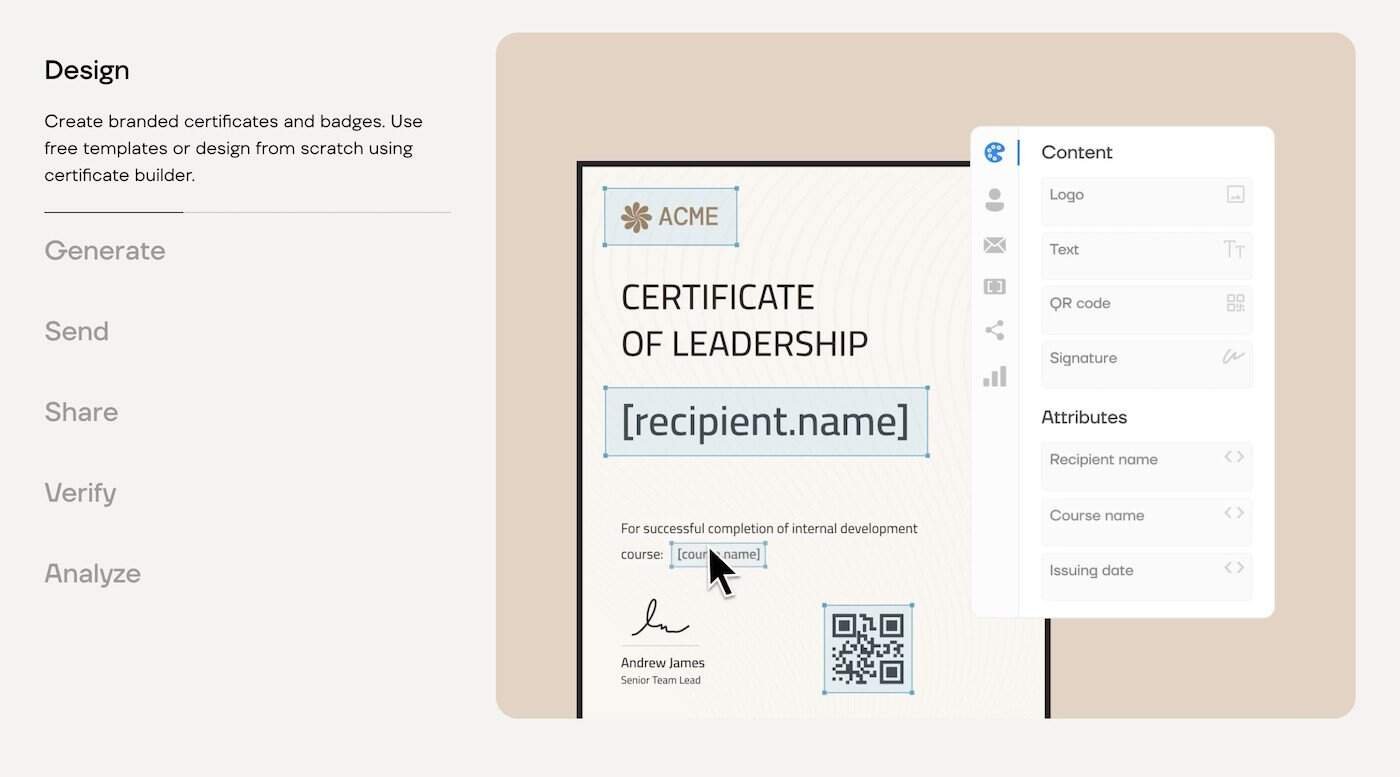
With Certifier, the design process is highly interactive. The platform includes a drag-and-drop editor that allows you to move elements, adjust colors, edit text, and resize components until the design fits your organization’s branding.
Certifier also provides a template library with many ready-to-use designs. Instead of starting from scratch, users can select a professional template and customize it to match their visual identity.
The credentials themselves are SVG-based, which means organizations have precise control over layout, styling, and branding while still personalizing credentials for each recipient.
Credly takes a more standardized approach. Badges follow a fixed format, and customization options are intentionally limited. Organizations can upload badge artwork and edit text fields, but they can’t rearrange layouts or change design elements within the platform.
This approach prioritizes consistency across credential programs but offers less flexibility for organizations that want custom designs.
Recipient Experience
The way recipients interact with their credentials can affect engagement and sharing.
With Certifier, recipients receive a personalized email with a direct link to their credential page. From there, they can view the credential, download it as a PDF, or share it on platforms like LinkedIn.
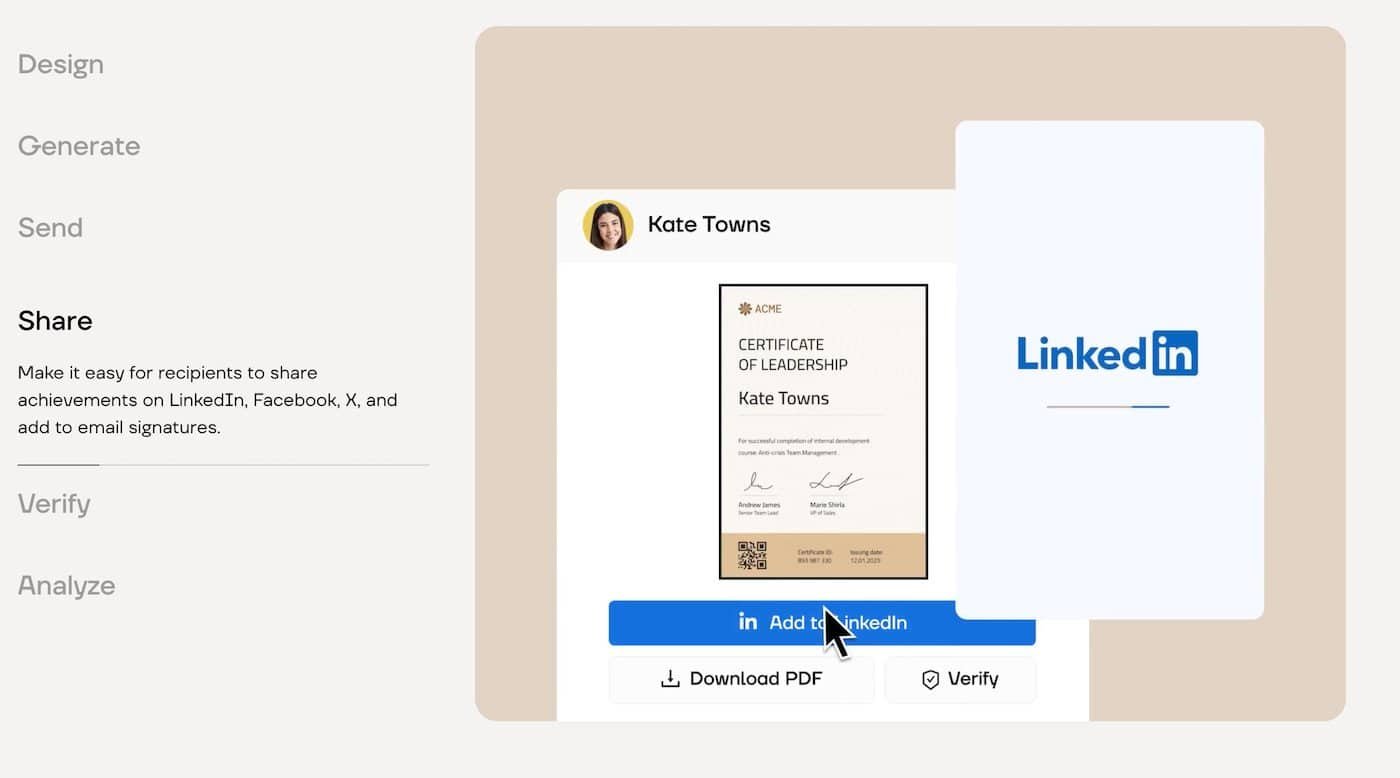
A key advantage is that no account creation is required. Recipients can access their credential immediately without registering or managing another login.
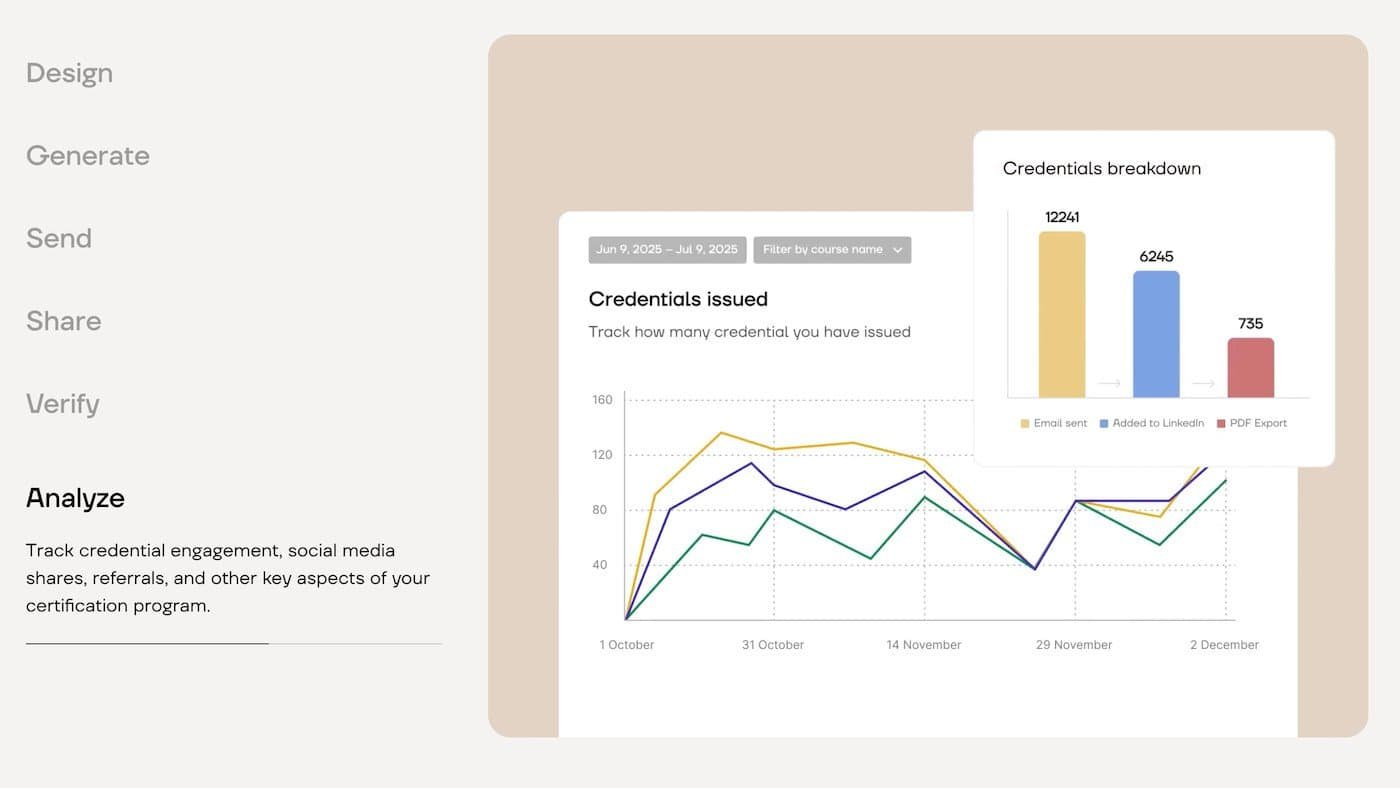
Certifier also includes engagement analytics, allowing issuers to track how often credentials are viewed, downloaded, and shared.
Credly uses a slightly different process. Recipients generally need to create an account before they can access and share their credentials.
However, Credly offers a mobile badge wallet app, where recipients can store and manage their digital credentials from their phones.
Post-Issuance Control
Another important factor is how much control issuers have after credentials are sent.
Certifier allows issuers to update recipient details, correct mistakes, resend credentials, and manage expiration dates even after a credential has been issued.
If a credential expires, the platform can automatically notify recipients, prevent downloads, and clearly mark the credential as no longer valid. Recipients can also request renewals directly through the credential page.
Credly takes a more rigid approach. Credentials are designed to remain relatively static after issuance, and making updates can involve more structured processes or support requests.
This structure can benefit standardized credential programs but offers less flexibility for quick changes.
Scaling and Integrations
As credential programs grow, automation and integrations become increasingly important.
Certifier supports bulk credential issuance, allowing organizations to upload recipient lists via spreadsheets and issue credentials all at once.
The platform also supports automated workflows. Credentials can be issued automatically when someone completes a course, training program, or event.
Certifier integrates with tools like:
-
Google Sheets
-
Microsoft Excel
-
Salesforce
-
HubSpot
It also connects with 5,000+ apps through Zapier, Make, and Pipedream, allowing organizations to automate workflows without coding.
Credly is designed more for centralized credential ecosystems, which can work well for structured enterprise programs but may offer less flexibility for automation across different tools.
Pricing
Certifier offers transparent pricing with several plan options.
Starter Plan (Free)
-
Issue up to 250 credentials per year
-
Access to templates and editor
-
Bulk issuing capabilities
Professional Plan
-
$79 per month (monthly)
-
$67 per month (annual billing)
Advanced Plan
-
$399 per month (monthly)
-
$339 per month (annual billing)
Both paid plans include a 30-day refund policy, making it easier to test the platform without long-term commitment.
Check Out Certifier for FreeCredly does not publicly list pricing on its website. Organizations must contact the sales team to request a custom quote.
Based on publicly available information, annual fees often start around $3,000 per year, and when onboarding costs are included, total pricing can reach $5,000 or more annually.
Conclusion
Both Certifier and Credly are capable digital credential platforms, but they serve slightly different audiences.
Credly works well for organizations that want a standardized credential ecosystem, particularly within large enterprise environments.
Certifier focuses on flexibility, branding control, and automation, making it a strong option for organizations that want to issue credentials quickly while maintaining full control over design and workflows.
For many organizations running training programs, certifications, or educational initiatives, Certifier offers a more accessible and flexible approach to digital credential management.